
Home / OpenFlights import
IMPORT · OPENFLIGHTS
Import an OpenFlights CSV in minutes.
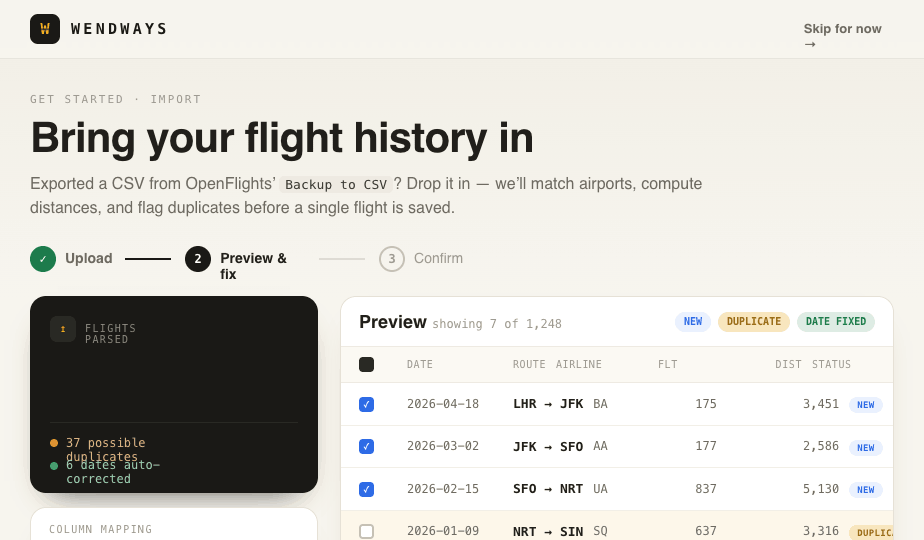
Drop in a Backup to CSV file. Wendways matches airports, computes great-circle distances, groups flights into trips, and flags duplicates before a single flight is saved.
How to move your flight history
- Sign in to OpenFlights and open your flight list.
- Use Backup to CSV to download every flight.
- In Wendways, open Import and drop in the file.
- Review the preview. Airports are matched, distances are computed, and possible duplicates are flagged before anything saves.
- Confirm. The flights appear on your map with lifetime stats.
The import is free on every plan, and it does not count toward your monthly booking captures. Adding more flights by hand later is unlimited too.
What you get that a CSV cannot show
The file becomes a map, not a spreadsheet you have to keep opening. New bookings can arrive by forwarding a confirmation, and trains, ferries, road trips, and cruises join the same record. If part of your history lives in TripIt, use the TripIt import as well.
You can export the whole record again, as CSV or JSON, whenever you want. The import is a move, not a lock-in.
From wishlist to window seat.
One home for your whole travel life. Free to start, and yours to keep.
Start freeFree forever. No card needed.