
Letter from Saigon: taking Wendways on the road
A letter from Vietnam: testing our upcoming iOS and Android apps, plus Check in, Near me, Ask Baz about a plan, and Fill the rest, all on the web now.
By Chris, founder of Wendways.
Ho Chi Minh City, Vietnam
I’m in Saigon with family and friends, seven of us on a trip we’ve called “The Great Haze Escape to Saigon.” (The haze has been bad in Singapore this year, hence the escape.) We arrived on November 6 and head home on the 10th. In between, I’m testing our upcoming iOS and Android apps on exactly the kind of trip they’re meant to help with.
So this is a letter from the road. I’m traveling with Wendways open on my phone, paying attention to the small jobs that get more obvious when you’re away from your desk: reading the plan without a connection, recording where we actually stopped, asking about a place already on the itinerary, and entering a shared bill without doing the math.
Most of what’s below is available on the web right now. The iOS and Android apps aren’t released yet. They’re coming in the next few weeks.
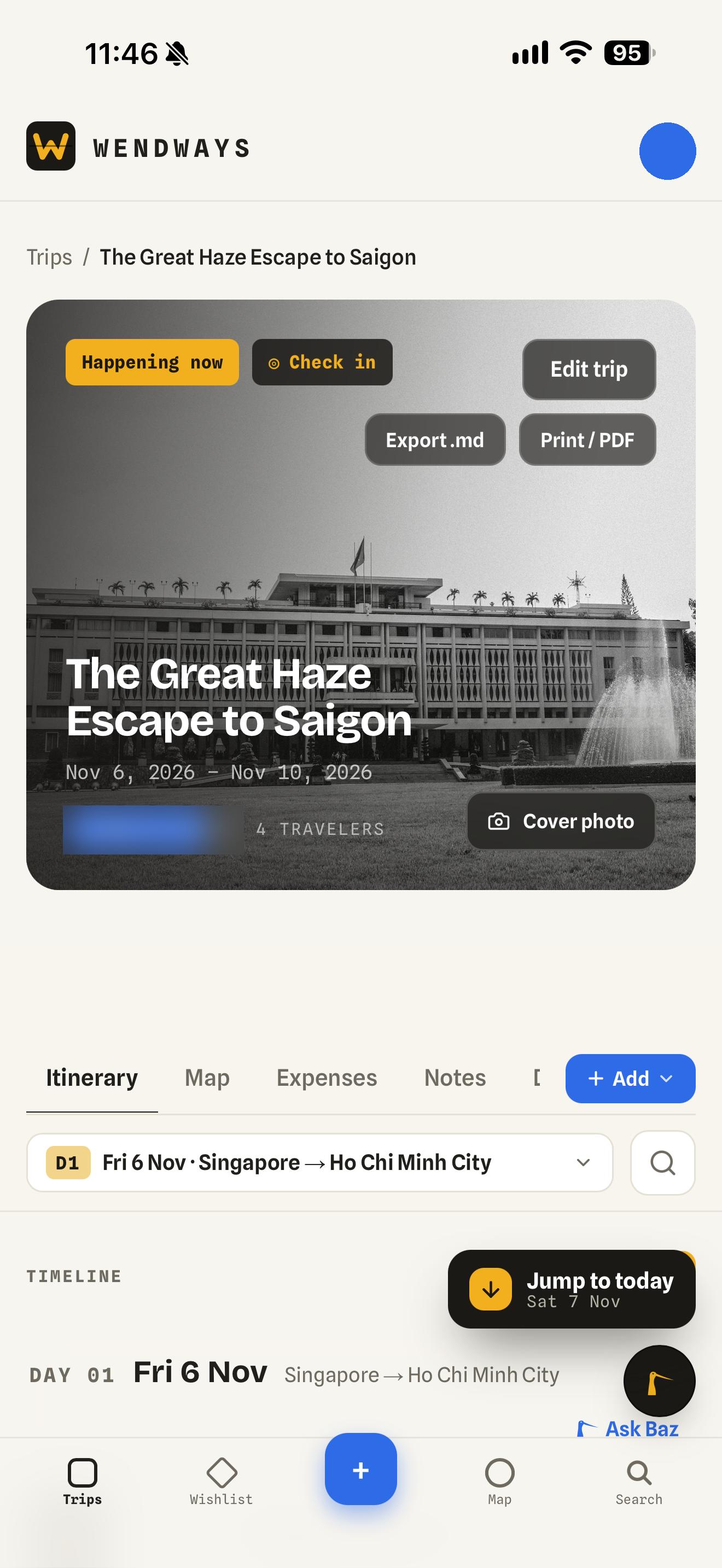
The trip I’m using to test the upcoming apps. People’s initials are hidden in these screenshots.
The plan when the connection goes
I don’t want reading today’s plans to depend on whether I’m data roaming or have found Wi-Fi. Offline basics are the first step, and they come with the mobile apps.
The app keeps a device copy of recently viewed trips for up to seven days, including the itinerary, map data, and stats. If the connection drops during an already-open session, I can still see what I last saw. When I’m back online, it refreshes.
A small crossed-out cloud beside the avatar shows what’s happening. Its tooltip reads, “Offline. Showing what you last saw.” Save buttons say “Offline” while I’m disconnected.
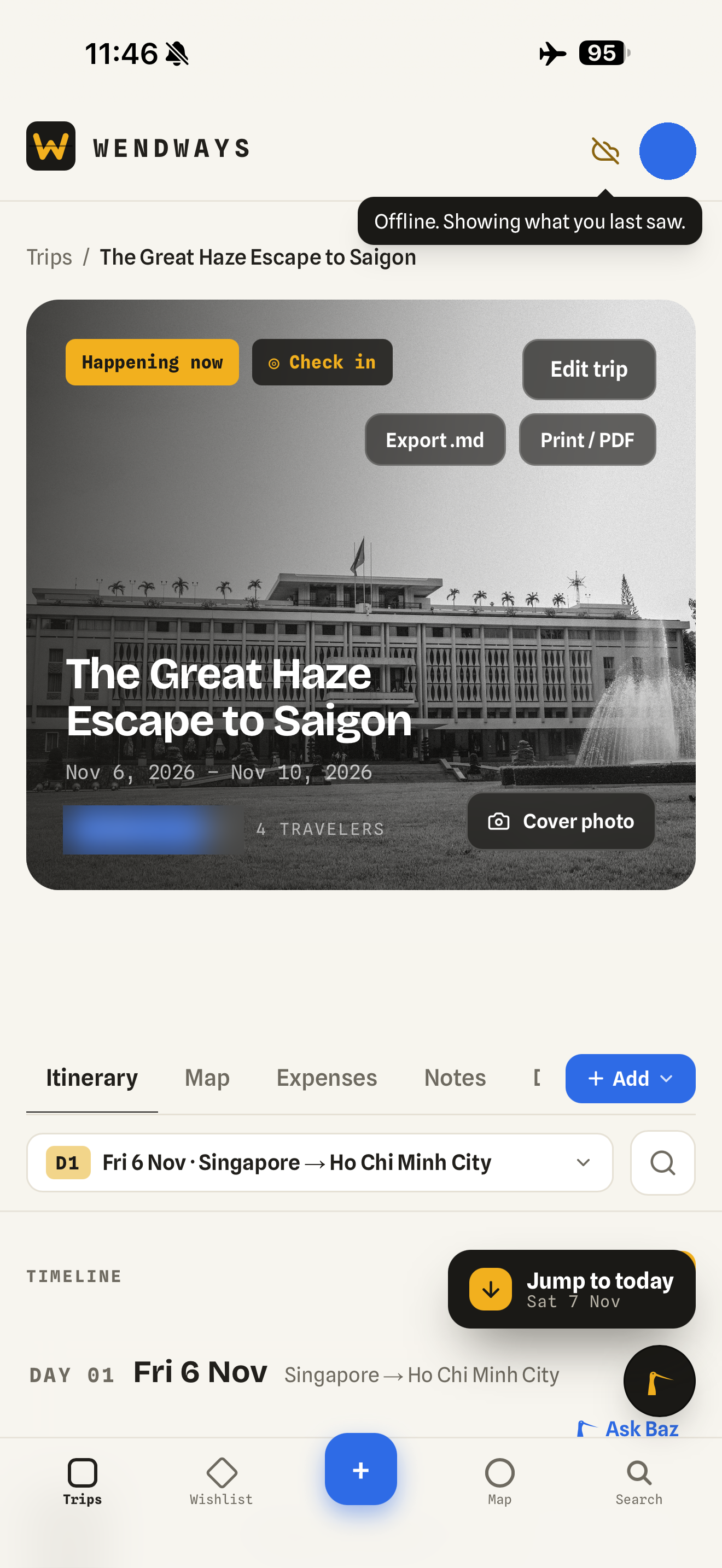
The offline status is an icon with a tooltip, not a banner.
There are limits worth spelling out. You can’t yet cold-launch the app fully offline, and you can’t edit plans offline. The cache doesn’t cover every attachment, map tile, or expense. This helps with patchy connections after you’ve opened a trip. It isn’t full offline travel planning yet.
Full offline opening and editing is the next milestone we’re working on. I don’t have a date to promise for it.
Recording where we are
A plan says where we intended to go. Sometimes I also want to record where we actually stopped.
On a trip that’s happening now, Check in adds your current location as an activity on today’s itinerary. It appears on the map and in the counts, and you can edit or delete it afterward. You tap to check in. Wendways doesn’t track you in the background.
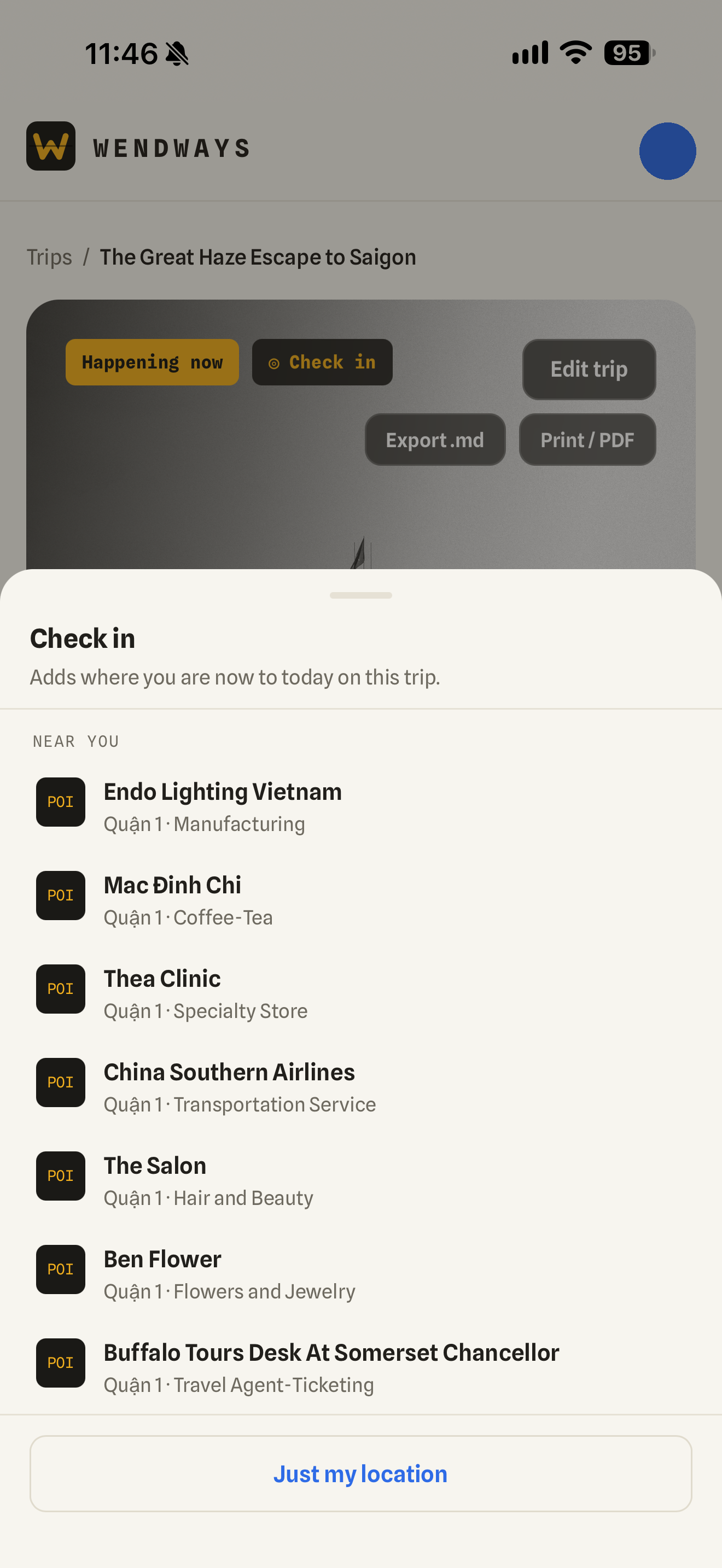
Checking in at your own location and naming it is free. Choosing a nearby venue from the list comes with a Silver or Gold plan.
Near me helps with the next stop. In Add a plan, the place picker can show places within about 800 meters. When you type, it favors results near your current position.
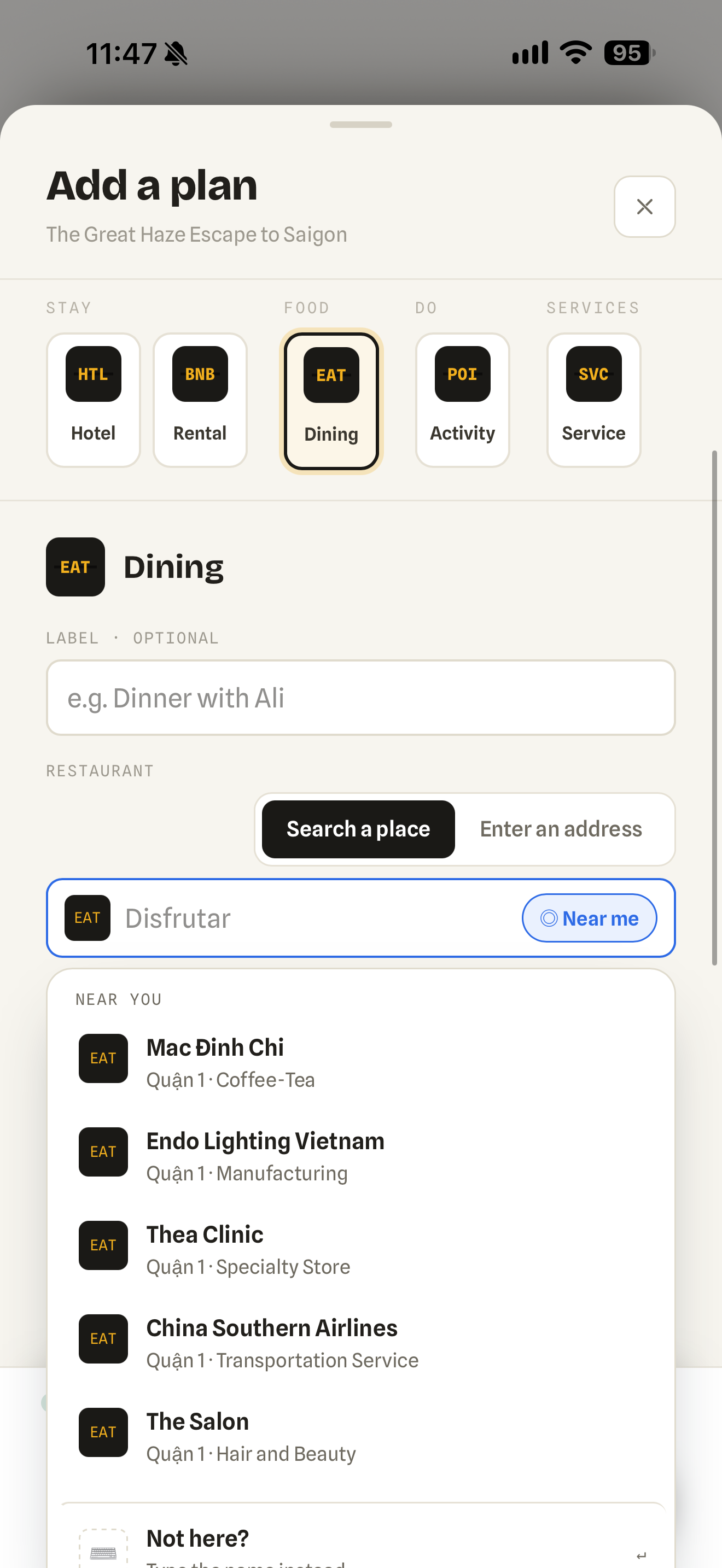
The nearby list comes with a Silver or Gold plan. “Use my location” is free and drops a pin you can name. Check in and Near me work on the web now, and will in the apps.
Asking about the next stop
On Day 2, I opened our Breakfast Pho plan and asked Baz, our AI agent, “Tell me about this place.”
The answer covered the hand-made rice noodles and the hot stone bowl, phở thố đá, with suggestions on what to order and a tip to go early. It also flagged a mismatch in the hours it found. Check before you go. I think that warning belongs in the answer as much as the breakfast recommendation does.
You can now ask Baz about a plan that’s already on your trip. Open “Ask Baz about this” in the plan’s menu, use the card’s hover action, or ask from the plan’s details. Chips show which trip, day, and plan the question is about.
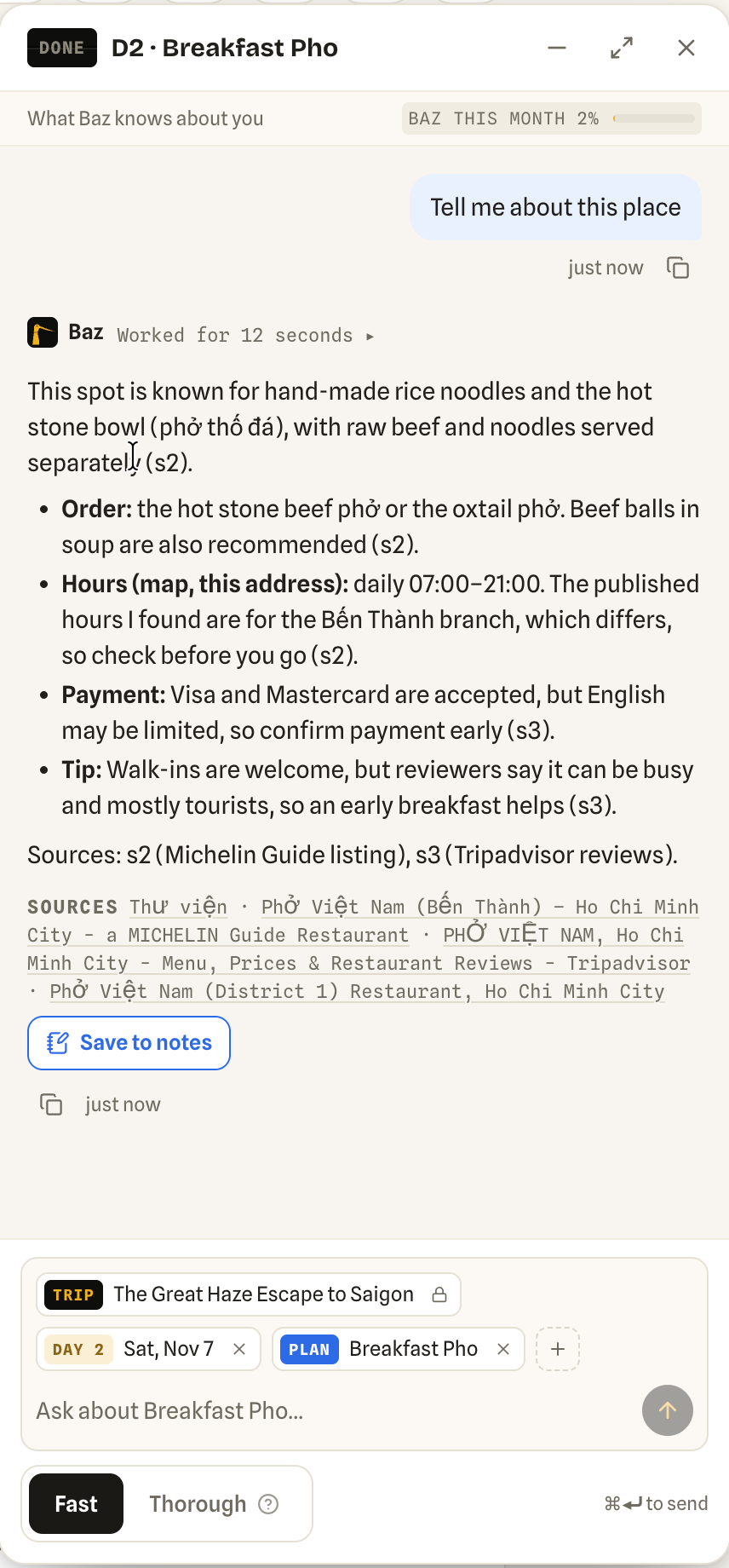
My question from this trip. Baz cites its sources and points out uncertainty about the opening hours.
For a named restaurant or attraction, Baz does a quick web lookup and gives a short answer about what it’s known for, what to order or see, hours, and practical tips. It cites sources and flags gaps. It can’t guarantee that hours or menus are current.
If the answer is useful, “Save to notes” lets you review it and confirm before adding it to that plan, sources included. Existing notes stay, and you can undo the addition. Nothing saves without your tap.
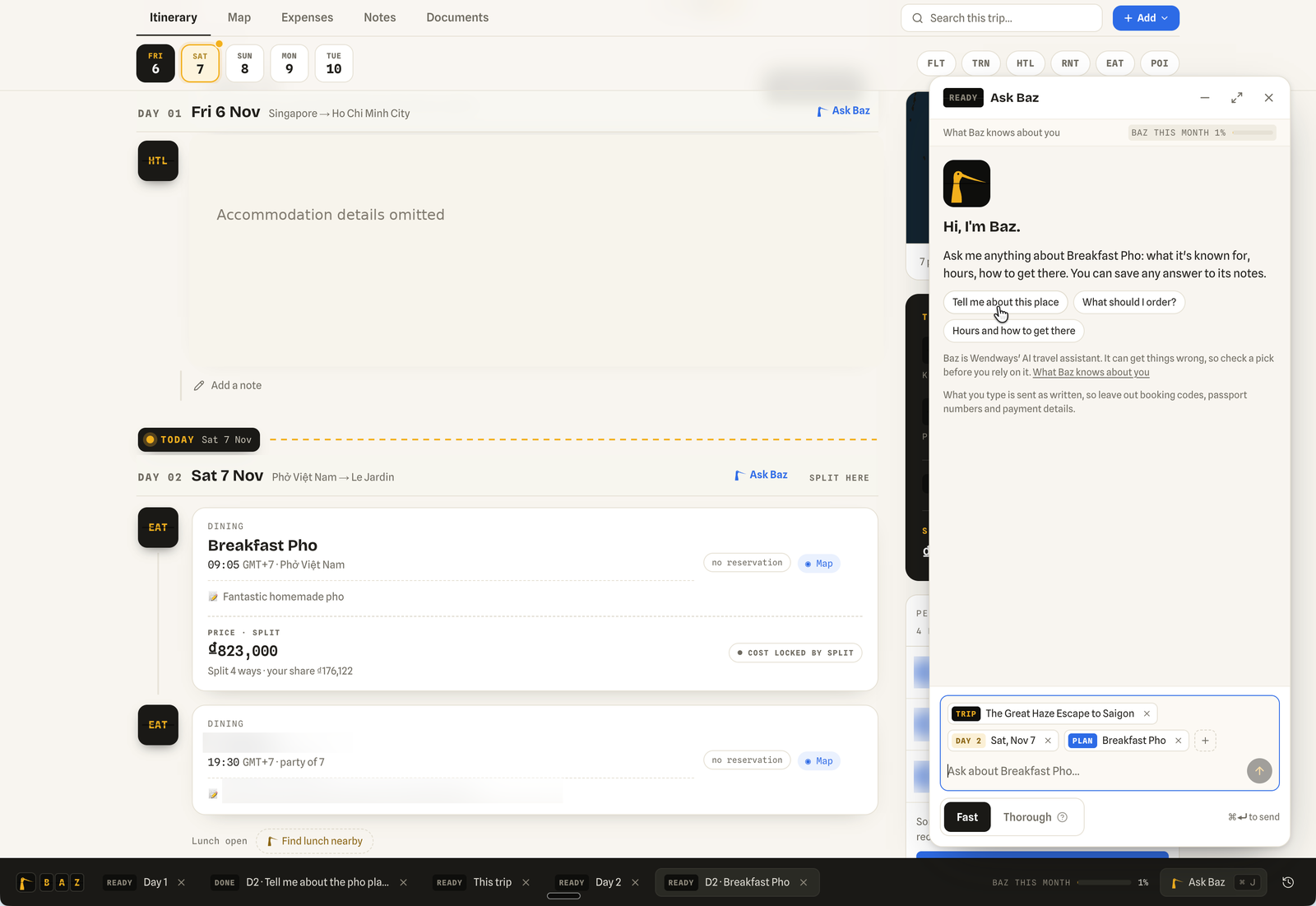
The same plan-focused question on the web. I omitted accommodation details from this screenshot.
It’s available on the web now, and will be in the apps, for travelers who can edit the trip. Fast is the default. Baz includes a monthly allowance, with more usage and Thorough mode on a Silver or Gold plan.
Baz doesn’t see booking codes, other travelers’ names or contact details, attachments, or payment information. What you type into the question still matters, so leave those details out yourself too.
Less typing after the bill
Seven travelers doesn’t mean one person pays every time, or that everyone takes the same share. Expense tracking and splitting already supports multiple payers and multiple people sharing the cost. You can split equally, enter exact amounts or percentages, use relative shares, or make plus/minus adjustments.
What’s new is a quicker way to enter those amounts, called “Fill the rest.”
In “Who paid?”, if two or more people paid and you haven’t entered their contributions, “Fill in” turns the even amounts shown as placeholders into entries. If you’ve entered some contributions already, “Fill the rest” divides the remaining amount among the blank payer rows.
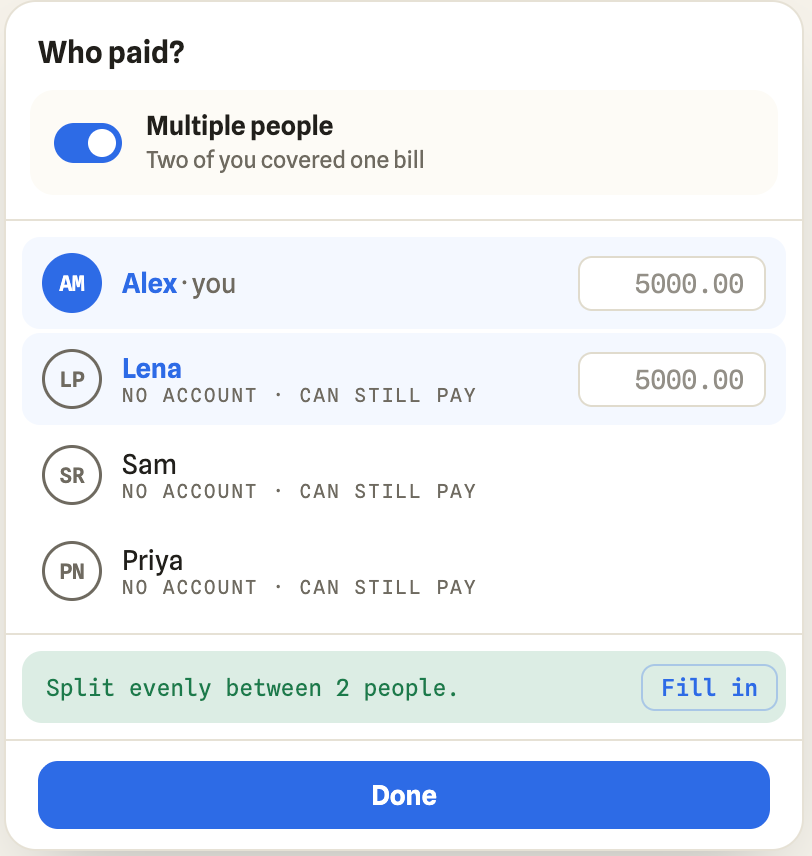
Mockup with fictional names. “Fill in” commits the even payer amounts shown.
For exact and percentage splits, the same idea saves you calculating the remainder. If one person takes 35% of a bill, one tap fills the other three shares with 21.67%, 21.67%, and 21.66%.
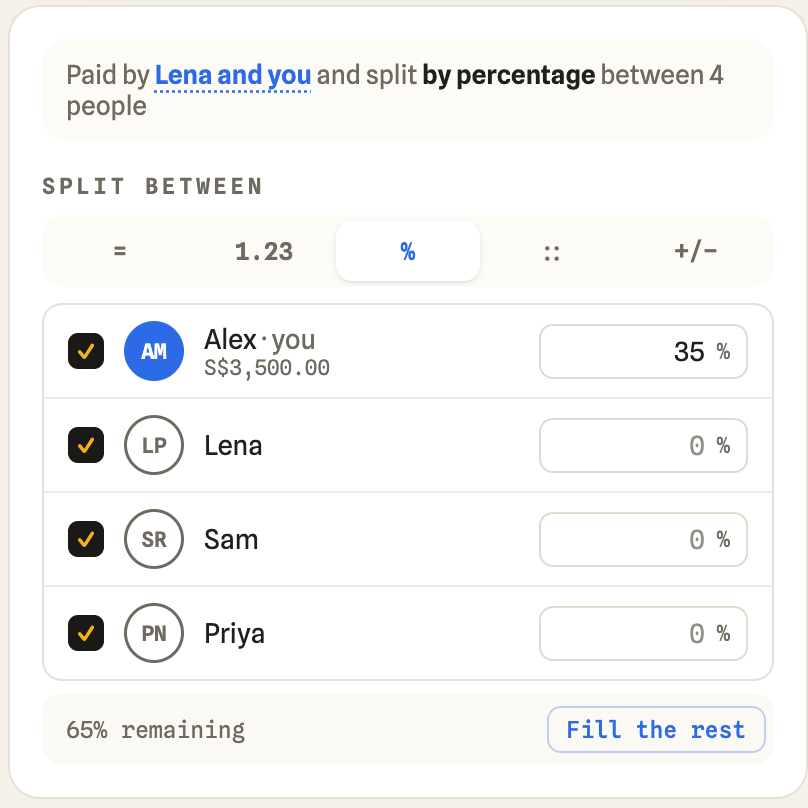
Mockup with fictional names. “Split between” records who bears the cost, which isn’t necessarily the same as who will owe money after settlement.
Nothing fills itself silently. You choose when to tap. The fields briefly flash to show the change, with about five seconds to undo it, and currency amounts round to the currency’s units.
Still on the trip
Check in, Near me, asking Baz about a plan, and Fill the rest are on the web now. The iOS and Android apps, along with offline basics, are coming in the next few weeks.
For now, I’m taking notes from Saigon. I want to read a plan without hunting for Wi-Fi, record a stop we hadn’t planned, get a sourced answer about breakfast, and finish entering a shared bill without calculating every remaining share. This trip is showing me how much of that we’ve got right, and what still needs work.
Chris, founder of Wendways